PFMS stands for Public Financial Management System. It is an official digital platform built and operated by the Office of the Controller General of Accounts (CGA) under India’s Ministry of Finance.
In simple words, PFMS is the backbone of government fund transfers in India. Whenever the central government releases money — whether for scholarships, agriculture subsidies, pensions, or any Direct Benefit Transfer (DBT) scheme — that money travels through PFMS before reaching the beneficiary’s bank account.
Before PFMS was launched, tracking government payments was almost impossible for ordinary citizens. Money would pass through multiple layers of agencies without any real-time visibility. PFMS brought transparency to the entire process. Today, it manages disbursements across more than 300 central government schemes, processing thousands of crores of rupees every single day.
PFMS is also known as CPSMS — Central Plan Scheme Monitoring System — which was its older name before being rebranded to reflect its expanded scope.
PFMS Portal — pfms.nic.in
The official website of PFMS is https://pfms.nic.in. It is a Government of India portal under the .nic.in domain, which confirms its authenticity. Always access this portal only through the official URL and avoid any look-alike websites.
| Detail | Information |
|---|---|
| Full Form | Public Financial Management System |
| Official Website | https://pfms.nic.in |
| Launched By | Ministry of Finance, Government of India |
| Managed By | Office of Controller General of Accounts (CGA) |
| Main Purpose | Real-time tracking and disbursement of government funds |
| Helpline Number | 011-23343860 |
| Official Email | helpdesk-pfms@gov.in |
| Working Hours | Monday to Friday (Office Hours) |
The PFMS portal serves two very different groups of users. Government officials and agencies use it to manage, approve, and disburse funds. Common citizens — students, farmers, pensioners — use it to track their payments without needing any login or registration.
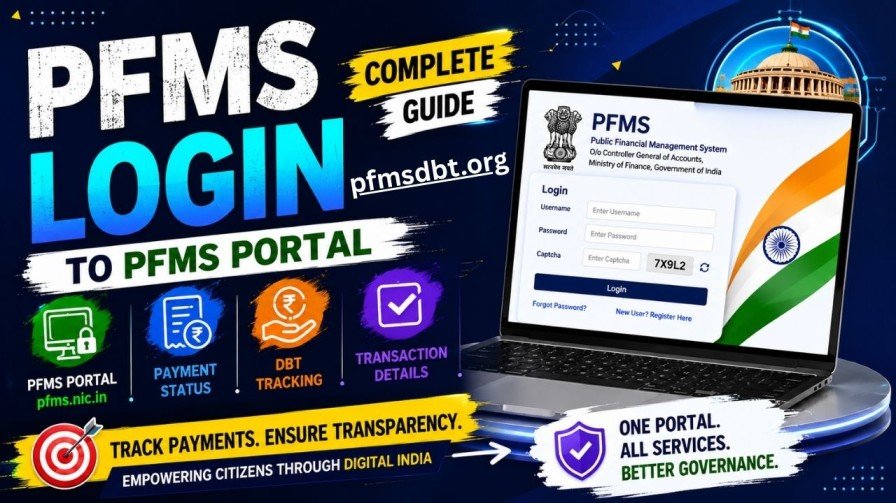
PFMS Login 2026 — Step-by-Step
If you are an authorised government user, follow these steps to access the PFMS portal:
Step 1. Open your browser and visit the official website — https://pfms.nic.in
Step 2. Click the “Login” button on the top section of the homepage.
Step 3. Select the applicable financial year (2025-26 or 2026-27) from the dropdown.
Step 4. Enter your department-issued username and password in the correct fields.
Step 5. Complete the CAPTCHA displayed on screen. This is case-sensitive, so type the characters exactly as shown.
Step 6. PFMS now uses Multi-Factor Authentication (MFA). After submitting your password, an OTP will be sent to your registered mobile number. Enter this OTP to proceed.
Step 7. Click “Sign In.” You will now see your official dashboard with pending approvals, payment authorisations, fund utilisation reports, and scheme-level summaries.
PFMS Registration for New Government Users
New government officials who need PFMS access must go through a formal registration process:
- Visit pfms.nic.in and click “Registration.”
- Choose your category (state agency, central agency, etc.) from the dropdown.
- Fill in your details — name, designation, department, official email, and mobile number.
- Submit the form.
Credentials are NOT auto-generated. Your application goes through manual verification by your department’s nodal PFMS officer. This process exists to ensure that only verified individuals can access the government’s financial management system.
Important Security Rules for PFMS Login Users
- Never share your PFMS credentials with anyone, regardless of rank or urgency.
- Do not access PFMS from public computers or unsecured networks.
- Disable your account immediately if you are transferred, retiring, or resigning.
- Report any suspicious activity to helpdesk-pfms@gov.in right away.
How to Check PFMS Payment Status Without Login
Most people visiting pfms.nic.in are looking for one specific thing — whether their government money has been sent or not. Here is exactly how to do that.
The feature is called “Know Your Payment” and it is available directly on the PFMS homepage without any registration.
Method 1 — Search by Bank Account Number (Most Common)
This is the easiest and most widely used method for checking PFMS payment status.
- Go to https://pfms.nic.in
- Click on “Payments” in the top navigation menu, then select “Know Your Payments.”
- Choose “Search by Account Number” from the available options.
- Select your bank from the dropdown list.
- Enter your bank account number. You will be prompted to enter it a second time for confirmation.
- Complete the CAPTCHA and click “Search.”
The results will show you a full list of all government payments credited to your account — including the payment date, scheme name, amount transferred, and a unique Payment ID for each transaction.
Method 2 — Search by Aadhaar Number
If your bank account is seeded with your Aadhaar number, you can track payments using this method.
- On the “Know Your Payments” page, select “Search by Aadhaar Number.”
- Enter your 12-digit Aadhaar number.
- Select the bank linked to that Aadhaar.
- Solve the CAPTCHA and click “Search.”
This method is particularly useful if you have recently changed your bank account, because it retrieves all payment records linked to your Aadhaar identity — regardless of which account number the money went into.
Method 3 — DBT Real-Time Status Tracker
For checking the exact processing stage of a pending payment under a specific scheme:
- On the PFMS homepage, click the “DBT Status Tracker” option.
- Enter your Application ID (from NSP or your scheme’s portal) or your Beneficiary Code.
- Enter your registered bank account number.
- Solve the CAPTCHA and click “Track.”
The system will show you the payment’s journey in stages — from Validated and Approved all the way to Payment Initiated and Success or Failure. If a payment has failed, the system also displays the specific reason, such as an account number mismatch, incorrect IFSC, or Aadhaar seeding issue.
PFMS Payment Status Messages — What Each One Means
When you search for your payment on pfms.nic.in, you will see one of the following status messages. Here is what each means in plain language:
Payment Initiated — The funds have been released from the ministry or department. Your money is on its way to your bank. Wait for 24 to 72 working hours.
Payment Successful — The money has been credited to your bank account. Check your passbook or banking app to confirm.
Under Process / Pending — The payment has been approved but is still in the queue. Check again after 3 to 5 working days.
Account Validation Failed — There is a mismatch in your bank account details, name, IFSC code, or Aadhaar linkage. Contact your institute or the scheme’s nodal officer to correct the information.
Payment Rejected — Your application did not meet the eligibility criteria for the scheme. Contact the relevant scholarship or scheme helpline for clarification.
Awaiting Approval — Your institute has verified your documents and submitted them. The application is now waiting for government-level approval. No action is needed from your end at this stage.
In most cases, once the status shows “Payment Initiated,” the money reflects in your bank account within 3 working days. During peak periods like March (year-end processing) or September, it can take up to 7 working days.
PFMS Scholarship Status 2026 — Complete Tracking Guide
Every scholarship disbursed through the National Scholarship Portal (NSP) flows through PFMS. If you have applied for any of the following schemes, your payment tracking happens on pfms.nic.in.
Scholarships Paid Through PFMS
- Pre-Matric Scholarship for SC/ST/OBC Students
- Post-Matric Scholarship for SC/ST/OBC Students
- Central Sector Scholarship Scheme (CSS)
- Merit-cum-Means Scholarship for Minority Students
- National Means-cum-Merit Scholarship (NMMS)
- Top Class Education Scheme
- Various State Government Scholarship Programs
How to Track Your Scholarship Payment
When you apply on NSP, you receive an Application ID. Keep this safe — it is your reference number for tracking throughout the scholarship cycle.
After submitting your application, wait for SMS or email confirmation of institute-level verification. Once approved at the institute level, go to pfms.nic.in and use “Know Your Payment.” Search using either your bank account number or NSP Application ID. Check every 2 to 3 days after institute approval. Once the status changes to “Payment Initiated,” your scholarship money typically reaches your account within 3 working days.
Typical Scholarship Disbursement Timeline
- Application submission and institute verification: 2 to 3 weeks
- District and state level approval: 4 to 6 weeks from verification
- PFMS payment initiation: 7 to 8 weeks from submission
- Bank account credit: within 3 working days of payment initiation
PFMS and DBT — How Direct Benefit Transfer Works
PFMS is the technical engine behind India’s Direct Benefit Transfer (DBT) mission. Under DBT, government subsidies, benefits, and welfare payments are sent directly to the bank accounts of beneficiaries, cutting out middlemen and reducing leakages.
Every DBT payment — whether it is PM-KISAN for farmers, maternity benefit under PMMVY, LPG subsidies, or MGNREGA wages — passes through the PFMS system. This is why checking payment status on pfms.nic.in works for such a wide range of government schemes.
When a payment fails under DBT, the PFMS portal shows the specific technical reason. Common reasons include:
- Bank account number entered incorrectly during application
- IFSC code mismatch
- Aadhaar not seeded to the bank account
- Account closed or frozen
- Name mismatch between application and bank records
If you encounter a payment failure, do not panic. Contact the nodal officer of your scheme or your institution to get the details corrected. Once corrected, the payment is usually re-initiated in the next processing cycle.
PFMS vs NSP — What is the Difference?
Many students confuse PFMS and NSP. Here is the clear distinction:
NSP (National Scholarship Portal) at scholarships.gov.in is where you apply for scholarships, upload documents, and track application approvals. It is the application management system.
PFMS (Public Financial Management System) at pfms.nic.in is where the actual money transfer happens. Once NSP approves your application at all levels, PFMS takes over and handles the actual payment to your bank account.
The two portals are integrated. You apply on NSP, and PFMS pays you. You track the approval progress on NSP and track the payment transfer on PFMS.
Architected tabular structure for contact information
Contact Guide
| Contact Method | Details | Additional Info |
|---|---|---|
| 📞 Helpline Number | 011-23343860 | Monday to Friday, Government Office Hours |
| 📧 Email Support | helpdesk-pfms@gov.in | Include: Full Name, Scheme Name, Application ID / Bank Account Number, and Problem Description |
| 📮 Postal Address | Office of Controller General of Accounts, Ministry of Finance, 3rd & 4th Floor, Shivaji Stadium Annexe, Connaught Place, New Delhi — 110001 | For written complaints and official correspondence |
| 🖥️ In-Portal Grievance | pfms.nic.in → Grievance Section | No Login Required — Open for all beneficiaries |
Frequently Asked Questions
Q: Is PFMS safe to use? Yes. pfms.nic.in operates under the government’s .nic.in domain and uses encrypted connections. The portal never asks for your bank password or OTP. If any website claiming to be PFMS asks for these, it is a scam.
Q: Do students need to register on the PFMS portal? No. Students do not register on PFMS directly. Your data is automatically pulled from NSP once your scholarship application is approved. You only use PFMS to check payment status.
Q: Can I access PFMS on my phone? Yes. The PFMS portal works on any mobile browser — Android or iOS. Simply open your browser, go to pfms.nic.in, and use “Know Your Payment” as you normally would.
Q: I cannot find my name in PFMS. What should I do? First, double-check that your bank account details and application information are correct. If there is any mismatch, contact your institute or the scheme’s nodal officer to get it corrected. Also ensure your application has been fully approved at all levels before expecting it to appear on PFMS.
Q: My PFMS payment failed. Will the money come automatically? It depends on the failure reason. Account validation failures usually require you to update bank details through your institution. Once corrected, the scheme authority typically re-initiates the payment in the next disbursement cycle. There is no automatic retry without correction.
Q: What is the difference between PFMS and CPSMS? They are the same system. CPSMS (Central Plan Scheme Monitoring System) was the original name. It was renamed PFMS to reflect its expanded mandate covering all government financial management, not just central plan schemes.